Automated Header/Footer Trimming
Set specific trim durations to instantly strip redundant intros or ad-filled outros from multiple clips, leaving only the core content.
Replace tedious manual clipping with automated brand packaging. Bulk remove redundant frames or append professional intros and outros to your entire video library instantly.
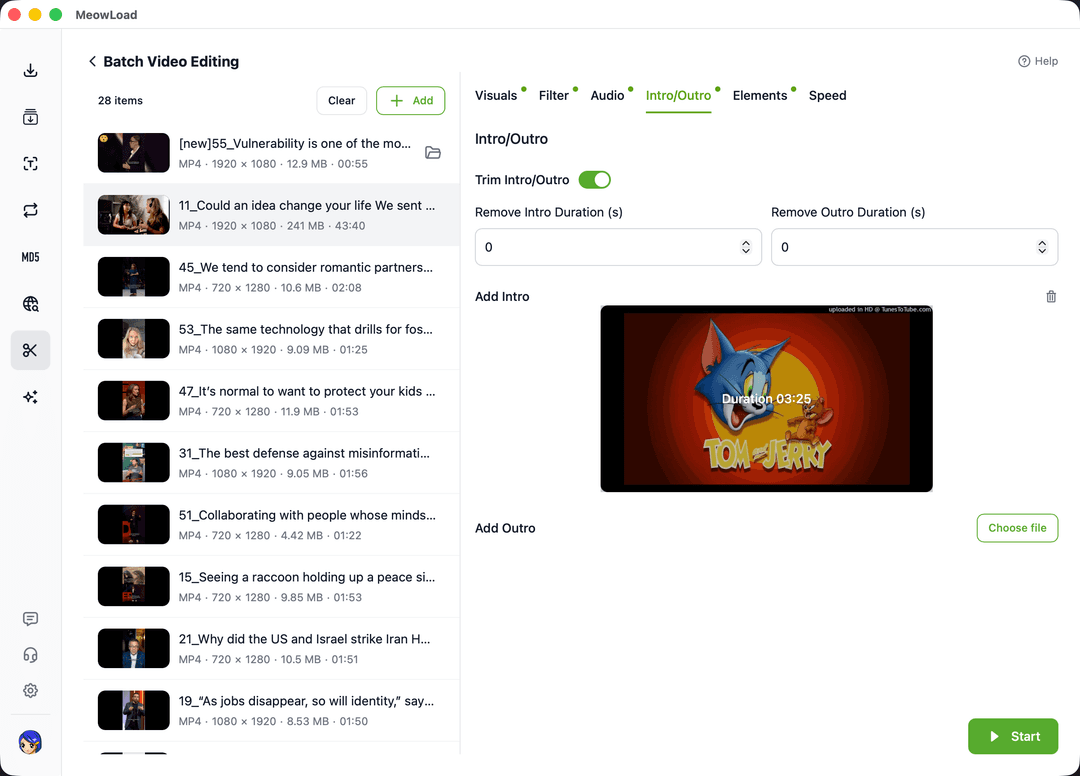
Standardize your video assets with professional-grade intro/outro management and automated packaging.
Set specific trim durations to instantly strip redundant intros or ad-filled outros from multiple clips, leaving only the core content.
Bulk append the same brand intro or call-to-action video to all files, ensuring a coherent visual identity across all distribution channels.
Whether removing old segments or replacing them with fresh ones, manage your entire video packaging workflow in a single automated process.
Streamline your desktop production by automating the mechanical task of editing video openings and endings.
Select multiple target videos and upload the intro or outro materials you wish to append or replace.
Define trim durations and set insertion points for your new assets while previewing the processing logic.
Click apply to let the system automatically reassemble all videos in the queue and export them quickly.
Combine multiple automated editing tools to create a seamless and professional content production line.
Strip original audio while managing intros/outros for a clean slate.
Ensure your intros and outros fit perfectly with unified canvas ratios.
Tighten the main content by automatically removing dead air between segments.
Apply global brand overlays in addition to intro/outro packaging.
Start your batch intro and outro management today and turn hours of manual packaging into seconds of automated success.